



October 10, 2026
Every office has a list of tasks that matter but never feel urgent: the follow-up call, the expiring certificate, the invoice that was never sent, the backup nobody checked. When staff are busy, those tasks do not fail loudly. They simply stop happening. AI can now run those checks every day, on its own, and tell you what it found.
This is the second post in our four-part series on practical AI for New Orleans and Northshore businesses. In the first post, Stop Paying People to Copy and Paste, we looked at the repetitive data work that eats your team's week. This post is about what gets pushed aside because of it.
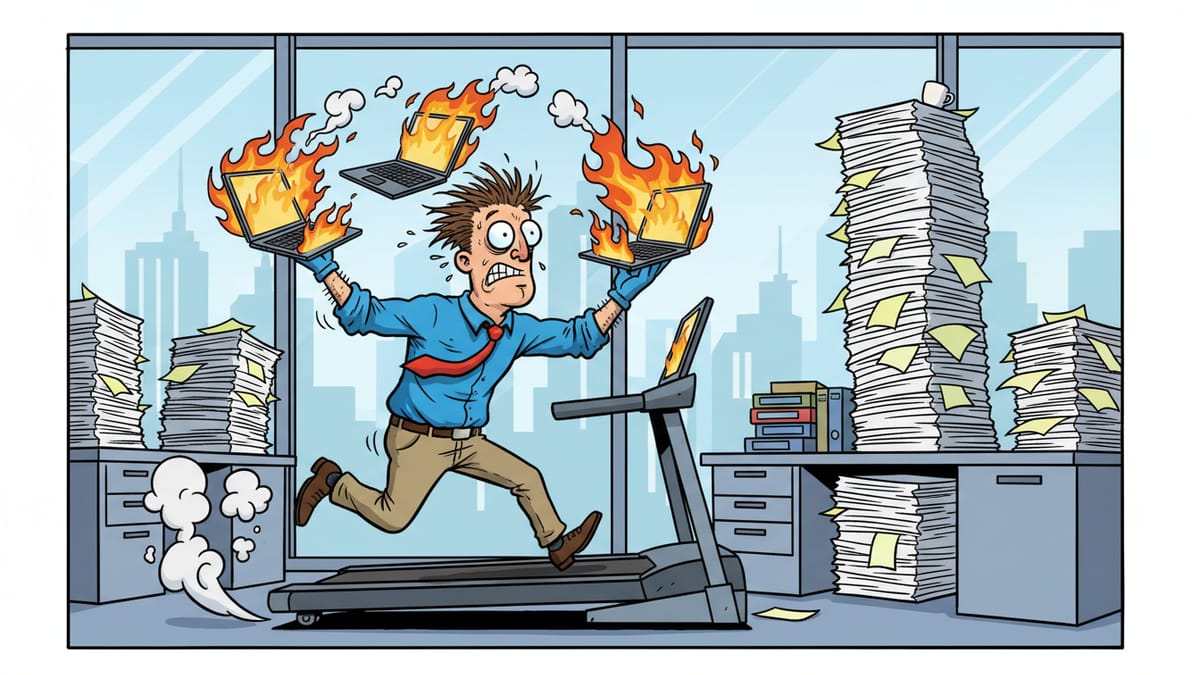
Busy offices drop work quietly
When a task is late, someone usually notices. When a task is never started, nobody does, because nothing reminds anyone it existed. That is the work that slips:
- Follow-ups. An office that sends a proposal and means to call back in a week, but the week fills up and the call never happens.
- Renewals and expirations. A business license, an insurance certificate, a software subscription or a website security certificate that lapses because the reminder went to someone who left the company.
- Billing gaps. Work that was finished but never invoiced, or an invoice that went out but was never followed up when it went unpaid.
- Routine reviews. Checking that last night's backup finished, that former employees no longer have access, or that the shared drive is not filling up.
None of these feel like emergencies on the day they are skipped. They turn into emergencies later: the client who went with a competitor, the lapsed certificate, the backup that turned out to be empty on the day it was needed.
Why people cannot simply try harder
The usual fix is a reminder or a checklist. Both depend on a person having time when the reminder fires. On a busy day, reminders get snoozed, then dismissed.
The problem is not discipline. It is that these checks compete for the same hours as the work in front of people, and the work in front of people always wins.
What AI does differently
An AI agent does not get busy. Once you describe a check and connect the agent to the systems it needs, it runs that check every day, the same way, and reports back. A few examples of what that looks like:
A morning follow-up report
Each morning, the agent reviews your CRM or your sent mail for proposals and quotes with no reply after a set number of days, and sends the owner a short list: who has not answered, what was sent and when.
An expiration watch
The agent keeps a list of every license, certificate, contract and subscription with its renewal date, checks it daily, and warns the right person well before anything lapses.
An unbilled-work check
The agent compares completed jobs or logged hours in your project or ticketing system against invoices in your accounting system and flags anything finished but not billed.
A daily health check
The agent confirms that backups ran, that accounts for departed staff are disabled, and that nothing unusual happened overnight, then reports "all clear" or lists what needs attention. Our cybersecurity checklist is a good source of checks to start with.
What this looks like in our own shop
At Ener Systems, we run these daily checks on our own work first. Three examples from our own records:
- Reading the security logs every day. Security tools record every connection they block, and the list is long and dull, so it is easy to stop reading. An AI review now goes through those block logs each day, sets aside the entries we expect and traces the rest. One morning, that review found a data collector that had stopped working, and we fixed it the same morning.
- Checking the nightly patch list. Each night, a list of software updates is ready to install. AI checks every item against our approved list. On one recent night, all 62 items matched, so the list was approved with no human step. When something does not match, a person looks at it.
- Tracing a failed backup. When a cloud backup failure was reported, AI traced the problem across 13 client computers at 4 sites the same evening. By 3:03 the next morning, every site showed green.
Our clients use the same approach. An HVAC contractor near New Orleans used to build a list by hand each morning; an automated feed now delivers that list at 6:20 every day. A wine and spirits distributor near New Orleans used to refresh a test database by hand; a nightly job now refreshes the copy and checks that the login works.
In each case, the check was one nobody had time to do by hand every single day. Running it daily is what caught the problem early.
Reporting is the point
The valuable part of these checks is not the check itself. It is the short report at the end. A good daily report:
- Arrives where the person already looks, such as an email or a Teams message.
- Says "nothing to do" when there is nothing to do, so people learn to trust it.
- Lists each item that needs attention with a direct link to it.
- Names who owns each item, so it does not fall back into the gap it came from.
Start with the AI only reporting. Once your team agrees the reports are right, you can let the agent take simple actions itself, such as drafting the follow-up email for a person to approve and send.
How to choose your first checks
Ask your team one question: "What should be happening here that you are not sure is happening?" The answers make a good first list. Then pick the checks where a miss is costly and the data already lives in a system the AI can reach.
Keep the first set small. Three or four reliable daily checks are worth more than twenty noisy ones that people learn to ignore.
Freeing people to do the work that matters
Together with the copy-and-paste automation from the first post, these daily checks mean less re-typing, fewer surprises and more time for clients.
The next step is to bring the same idea to each individual employee. That is the subject of the next post, A Digital Office Manager for Every Employee. The series ends with why everyone using their own AI chat hits a ceiling.
Where Ener Systems fits
We help Louisiana businesses decide which checks to automate, connect AI to the systems those checks need and make sure the agents run with limited, logged access. Our AI strategy and enablement service starts there, and our managed IT services cover the technical side of daily health checks. Not sure what is slipping in your office? Start with a free network assessment.
Frequently asked questions
What kinds of tasks can AI check every day?
Follow-ups with no reply, upcoming renewals and expirations, finished work that was never billed, backups, access for former employees, and records that are incomplete or out of date.
Will AI take action on its own?
Only if you decide it should. We recommend starting with reports only, then allowing simple actions, such as drafting a follow-up email for a person to approve, once the reports have proven reliable.
How is this different from a calendar reminder?
A reminder depends on a person having time when it fires. An AI agent runs the check itself, every day, and reports only what needs attention.
How many checks should we start with?
Three or four that cover costly misses. A short report people trust beats a long one they ignore.
