


April 1 fades away, along with its jokes and false alerts that make you question everything on April Fools' Day.
But scammers continue their schemes, unaffected.
Spring marks a peak season for cybercriminals—not due to negligence, but because hustle and distraction create cracks. It's when subtly deceptive attacks slip past undetected, seeming just routine until the damage is done.
Here are three current scams preying not on the naive, but on diligent employees aiming to get through the day.
As you review them, consider: Would every member of my team take the crucial moment to identify these threats?
Scam #1: Fake Toll or Parking Charge Text
An employee receives a text alert:
"Unpaid toll fee of $6.99 detected. Pay within 12 hours to avoid penalties."
The message names a legitimate toll system—E-ZPass, SunPass, FasTrak—matching their location. The low fee is designed to seem harmless.
During short breaks between meetings, they click, pay, and move on.
But the link is fraudulent.
In 2024 alone, the FBI logged over 60,000 reports of fake toll-related texts, with a 900% surge in 2025. Researchers uncovered more than 60,000 spoofed domains mimicking official toll services—a vast operation signaling the scam's profitability. Some victims received these texts even in states without toll roads.
This works because $6 feels insignificant, and many recently passed tolls or paid for parking, making the message believable.
How to defend: Real toll authorities do not demand instant payment through text links. Organizations should enforce strict rules: payments must only be made by accessing official websites or apps directly, never via text. Employees should avoid replying to these texts, including with "STOP," to prevent confirming active numbers and invite fewer messages.
When convenience is the lure, compliance with process is your shield.
Scam #2: "Your File Is Ready" Email
This scam fits seamlessly into daily workflows.
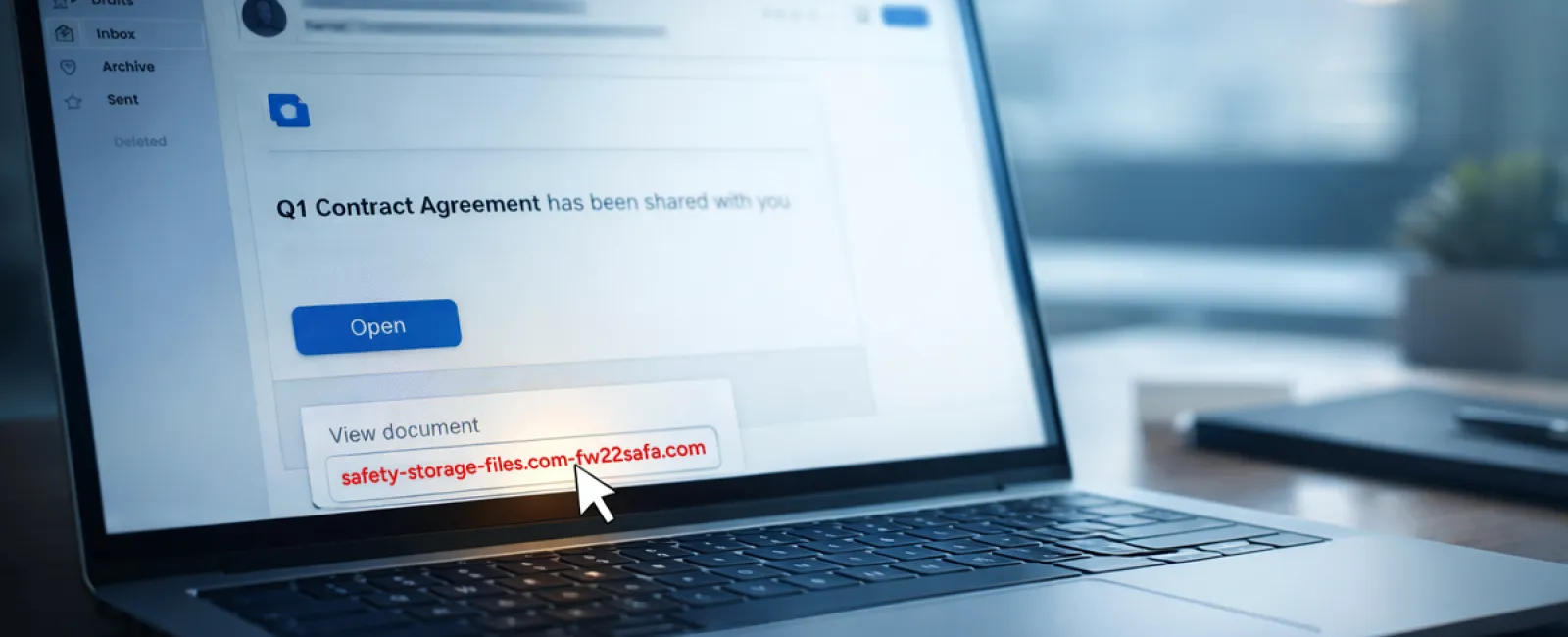
An employee gets an email announcing a shared document—maybe a contract via DocuSign, a spreadsheet on OneDrive, or a Google Drive file.
The sender looks legitimate, formatting appears authentic.
They click the link, prompted to log in, and enter their credentials.
Immediately, attackers gain access to your company's cloud systems.
Phishing through trusted platforms like Google Drive, DocuSign, Microsoft, and Salesforce soared 67% in 2025, says KnowBe4's Threat Labs. Specifically, Google Slides phishing surged over 200% within six months.
Employees are much likelier to click these fake links because alerts seem authentic and trustworthy.
More sophisticated versions send sharing notifications from compromised accounts via the platform's genuine servers—bypassing spam filters as technically legitimate emails.
How to protect: Train employees to never click unexpected file-sharing links. Instead, they should log into the platform separately to verify. Limits on external sharing and enabled alerts for irregular logins further reduce risk—settings IT can configure quickly.
Simple caution, powerful protection.
Scam #3: Polished, Professionally Written Emails
Gone are the days when phishing emails were riddled with errors and suspicious formats.
Now, AI-crafted phishing messages reach a staggering 54% click rate—compared to 12% for human-made attempts, a study from 2025 reveals. These emails reference real companies, job titles, and workflows harvested instantly from LinkedIn and websites.
Scams now target specific departments: HR and payroll receive bogus employee verification; finance sees vendor payment change requests. One test showed 72% engagement with vendor impersonation emails—90% higher than other phishing variants. The tone is calm, professional, urgent—but convincingly everyday.
How to respond: Always confirm requests involving credentials, payments, or sensitive information via a second method such as phone calls or in-person checks. Before clicking links, carefully inspect the sender's actual email domain by hovering over the address. And treat any urgency in emails as a red flag.
Genuine security never pressures people to rush.
The Bottom Line
These scams succeed by exploiting familiarity, authority, timing, and the belief that "this will only take a moment."
The true vulnerability is not an inattentive employee, but systems that expect everyone to always slow down, verify, and make perfect decisions under stress.
If one hurried click jeopardizes your day, the problem isn't people — it's the process.
And process flaws can be fixed.
How We Can Support You
Most business leaders don't want another overwhelming project or to become the "cybersecurity teacher."
They seek peace of mind knowing their business isn't silently vulnerable.
If you're worried about your team's cybersecurity or know someone who should be, we're here to help.
Schedule a clear discovery call where we'll cover:
•
Current risks faced by businesses like yours
•
Common vulnerability points in everyday work routines
•
Effective strategies to minimize exposure without slowing your team down
No pressure or fear tactics—just a straightforward conversation to identify risks and explore solutions.
Click here or give us a call at 985-302-3083 to schedule your free A Quick Call.
If this doesn't apply to you, please share this with someone who would benefit. Often, spotting what to watch for turns a "would have clicked" into a "nice try."


